
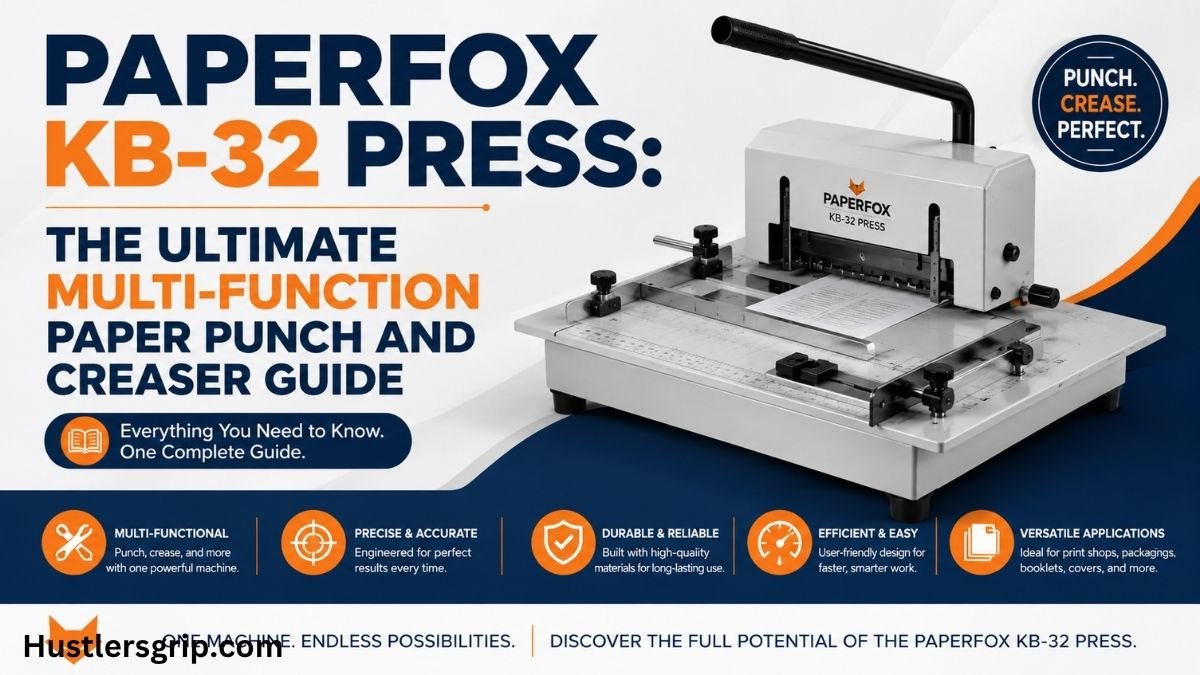
Paperfox KB-32 Press: The Ultimate Multi-Function Paper Punch and Creaser Guide
Overview
Do you run a small print shop, a packaging business, or a creative studio? If so, you know how important it is to have the right tools for finishing your paper projects. One machine that stands out is the Paperfox KB-32 press. This versatile device can punch, crease, perforate, and even die-cut paper and cardboard. It is a compact, affordable solution that brings professional finishing capabilities right to your desktop.
In this comprehensive guide, we will explore everything you need to know about the Paperfox KB-32 press. We will cover its features, specifications, benefits, and practical applications. Whether you are a seasoned professional or a beginner, this article will help you understand why this machine is a game-changer for short-run paper finishing jobs. Let’s dive in and discover how the Paperfox KB-32 press can transform your workflow.
Featured Snippet Definition
What is the Paperfox KB-32 press? The Paperfox KB-32 press is a manual, multi-function paper finishing machine designed for punching, creasing, perforating, and die-cutting. It handles paper and cardboard up to 320 mm in width. Its compact design, robust metal construction, and interchangeable tools make it a versatile and affordable choice for small businesses and hobbyists.
Key Features and Technical Specifications
Understanding the technical side of the Paperfox KB-32 press is essential. This knowledge helps you know its capabilities and limitations. Below is a detailed breakdown of its key features and specifications.
Dimensions and Weight
The Paperfox KB-32 press is a desktop machine designed to save space. Its dimensions are 500 mm x 60 mm x 250 mm (width x depth x height). It weighs 12.5 kg, making it sturdy yet portable enough to move around your workspace.
Tool Dimensions
Maximum Paper Weight Capacity
The machine can handle different paper weights depending on the operation:
Included Accessories
When you purchase the Paperfox KB-32 press, you get several accessories in the box:
- 2 rear stops
- 1 side stop
- 1 creasing stop
- 1 EP-1 Euro hole tool (pre-installed)
- 2 VMP-1 cutting plates (1 pre-installed)
- 1 BKB-32 creasing tool
These accessories allow you to start working right away without needing to buy extra parts.
Build Quality and Design
The Paperfox KB-32 press features a robust metal construction. This ensures durability and longevity, even with regular use. The machine is designed for manual operation, giving you full control over the finishing process.
What Can You Do with the Paperfox KB-32 Press?
The Paperfox KB-32 press is incredibly versatile. It can perform multiple functions that are essential for paper finishing. Let’s explore each of these functions in detail.
1. Creasing
Creasing is the process of creating a fold line in paper or cardboard. This prevents the material from cracking when folded. The Paperfox KB-32 press excels at creasing, especially for digital prints that are sensitive to cracking. The creasing tool measures 380 mm x 60 mm, allowing you to crease materials up to 320 mm in length.
Why creasing matters: When you fold thick paper or cardstock without creasing, the outer layer often cracks, ruining the professional look. The Paperfox KB-32 press solves this problem by creating a clean, precise crease.
2. Punching
Punching involves cutting holes in paper. The Paperfox KB-32 press comes with an EP-1 Euro hole tool, which is perfect for creating standard euro slots for ring binders or file folders. You can also use custom-shaped tools for unique punching needs.
3. Perforating
Perforation creates a line of small holes that allow paper to be torn easily. This is useful for tickets, coupons, or tear-off forms. The Paperfox KB-32 press can perform perforation with the right tool. However, note that the maximum paper weight for perforating is 100 g/m².
4. Die-Cutting
Die-cutting is the process of cutting out specific shapes from paper or cardboard. The Paperfox KB-32 press can handle die-cutting with tools up to 30 mm x 60 mm. While you can fit larger tools (up to 60 mm x 380 mm), it is recommended to use tools up to 140 mm x 60 mm due to the machine’s rigidity.
Practical applications: You can die-cut custom shapes for business cards, invitations, packaging, and more.
5. Conveyor Belt Cutting
A unique application of the Paperfox KB-32 press is cutting conveyor belts. With a special tool and guide set, you can cut conveyor belts up to 10 cm wide before welding them. This makes the machine useful beyond just paper finishing.
How to Set Up and Use the Paperfox KB-32 Press
Setting up the Paperfox KB-32 press is straightforward. Follow these steps to get started.
Step 1: Unbox and Inspect
Remove the machine from its packaging. Check that all included accessories are present: rear stops, side stop, creasing stop, EP-1 Euro hole tool, VMP-1 cutting plates, and the BKB-32 creasing tool.
Step 2: Assemble the Machine
Place the Paperfox KB-32 on a stable, flat surface. Ensure there is good lighting in your workspace for safety and accuracy. Wear tight-fitting clothing and remove any jewellery before operating the machine.
Step 3: Choose Your Tool
Select the appropriate tool for your task:
- For creasing: Use the BKB-32 creasing tool.
- For punching: Use the EP-1 Euro hole tool (already installed).
- For die-cutting: Replace the creasing tool with a die-cutting tool.
Step 4: Adjust the Paper Guide
The Paperfox KB-32 includes paper guides to help you position your material accurately. You can use the rear stops and side stop to align your paper. For die-cutting, you can also use a paper clip to create a simple positioning guide.
Step 5: Perform the Operation
Place your paper or cardboard on the machine bed. Pull the handle down firmly to perform the operation. The machine’s robust metal construction ensures consistent pressure.
Step 6: Change Tools (If Needed)
To change tools, follow these steps:
- Remove the current tool from the machine.
- Insert the new tool (e.g., die-cutting or perforating tool).
- Ensure it is securely in place before use.
Safety Tips
- Always read the user manual before using the machine.
- Only operate the machine if you have been trained in its use.
- Keep the machine out of reach of children.
Paperfox KB-32 Press vs. Competitors: A Comparison
To help you make an informed decision, here is a comparison table of the Paperfox KB-32 press against similar machines.
As you can see, the Paperfox KB-32 offers the most versatility. It combines multiple functions into one machine, saving you both money and workspace.
Pros and Cons of the Paperfox KB-32 Press
Every machine has its strengths and weaknesses. Here is an honest look at the pros and cons of the Paperfox KB-32 press.
Pros
- Versatile: Performs punching, creasing, perforating, and die-cutting.
- Affordable: Offers great value for money.
- Compact: Small footprint saves workspace.
- Durable: Robust metal construction ensures longevity.
- Easy to Use: Manual operation gives you full control.
- Interchangeable Tools: Allows for a wide range of applications.
Cons
- Limited Rigidity: May struggle with very large die-cutting tools.
- Manual Operation: Requires physical effort; not suitable for high-volume production.
- Perforating Limit: Maximum paper weight for perforating is only 100 g/m².
- Accessories Sold Separately: Some useful accessories, like the MA-500 table, are not included.
Common Mistakes and How to Avoid Them
Even with a great machine like the Paperfox KB-32 , mistakes can happen. Here are some common errors and how to avoid them.
Mistake 1: Using the Wrong Tool for the Job
The Problem: Using a creasing tool for die-cutting or vice versa can damage your material and the machine.
The Solution: Always use the correct tool for your task. Switch tools as needed.
Mistake 2: Exceeding Paper Weight Limits
The Problem: Using paper that is too thick for the operation can strain the machine and produce poor results.
The Solution: Check the maximum paper weight for each operation: 800 g/m² for die-cutting, 300 g/m² for creasing, and 100 g/m² for perforating.
Mistake 3: Poor Positioning
The Problem: Misaligned paper leads to uneven cuts or creases.
The Solution: Use the paper guides and stops provided with the machine. For die-cutting, consider using a transparent tool or positioning marks.
Mistake 4: Not Reading the Manual
The Problem: Skipping the manual can lead to improper use and safety hazards.
The Solution: Always read the user manual before operating the Paperfox KB-32.
Expert Tips for Getting the Best Results
To maximize the performance of your Paperfox KB-32, follow these expert tips.
Tip 1: Use the Right Cutting Plate
For die-cutting, turn the BL-32 cutting plate with the rubber side down. This creates a perfect die-cutting surface and compensates for the machine’s limited rigidity.
Tip 2: Compensate for Rigidity
If you notice uneven pressure in the middle of the tool, place strips of paper under the cutting plate. This helps balance the pressure.
Tip 3: Invest in the MA-500 Table
The MA-500 table is a worthwhile accessory for the Paperfox KB-32 press. It provides a larger work surface and more precise positioning options.
Tip 4: Keep the Machine Clean
Regularly clean the machine and tools to prevent debris from affecting performance. This also extends the life of your equipment.
Tip 5: Experiment with Different Materials
Don’t limit yourself to paper. The Paperfox KB-32 press can also handle foil, plastic, and even leather. Experiment to discover new applications.
Related Articles You May Like
- Sintterikytkin: A Comprehensive Guide
- Pax Dei Grain Mill: Everything You Need to Know
- AMS39K: Features and Benefits
- Hanlim Gym 182: An In-Depth Review
Conclusion and Call to Action
The Paperfox KB-32 press is a versatile, affordable, and durable machine that brings professional paper finishing capabilities to your desktop. Whether you need to punch, crease, perforate, or die-cut, this machine can handle it all. Its compact design and robust construction make it an excellent choice for small businesses, packaging companies, and creative professionals. While it has some limitations, such as manual operation and limited rigidity for large tools, its benefits far outweigh its drawbacks.
If you are looking for a reliable, multi-function paper finishing machine, the Paperfox KB-32 press is a fantastic investment. It will save you time, money, and space while allowing you to produce high-quality finished products in-house.
Ready to take your paper finishing to the next level? Explore the it today and see how it can transform your workflow. Visit the Paperfox website or contact an authorized dealer to learn more and place your order. Don’t wait—upgrade your workshop with the Paperfox KB-32 press now!
Frequently Asked Questions (FAQs)
1. What is the Paperfox KB-32 press used for?
The Paperfox KB-32 press is a multi-function machine used for punching, creasing, perforating, and die-cutting paper and cardboard. It is ideal for short-run jobs in small print shops, packaging businesses, and creative studios.
2. What is the maximum paper weight for the Paperfox KB-32 press?
The maximum paper weight depends on the operation. For die-cutting, it is 800 g/m² and creasing, it is 300 g/m². For perforating, it is 100 g/m².
3. Can the Paperfox KB-32 press cut conveyor belts?
Yes, with a special tool and guide set, the Paperfox KB-32 press can cut conveyor belts up to 10 cm wide.
4. Is the Paperfox KB-32 press easy to set up?
Yes, the Paperfox KB-32 press is easy to set up. It comes with all necessary accessories, and the user manual provides clear instructions.
5. What accessories are included with the Paperfox KB-32 press?
The machine includes 2 rear stops, 1 side stop, 1 creasing stop, 1 EP-1 Euro hole tool, 2 VMP-1 cutting plates, and 1 BKB-32 creasing tool.
6. Can I use custom die-cutting tools with the Paperfox KB-32 press?
Yes, you can use custom die-cutting tools. However, it is recommended to use tools up to 140 mm x 60 mm due to the machine’s rigidity.
7. Is the Paperfox KB-32 press suitable for high-volume production?
No, the Paperfox KB-32 press is a manual machine designed for short-run jobs. For high-volume production, electric or automated machines would be more suitable.
8. Where can I buy the Paperfox KB-32 press?
You can purchase the Paperfox KB-32 press from authorized dealers and online marketplaces. Check the Paperfox website for a list of distributors.


